Reusable QR codes: print once, use for every event
Print a single QR code for your entrance and point it at the next event when you’re ready.
- On your dashboard, tap Reusable QR codes (owners and admins).
- Enter a name like “Main Gate” and, if you like, a short code. Tap Create.
- Tap Edit, choose the event the link should open, make sure it’s Active, and save.
- Tap Download QR and print it on your signs and banners.
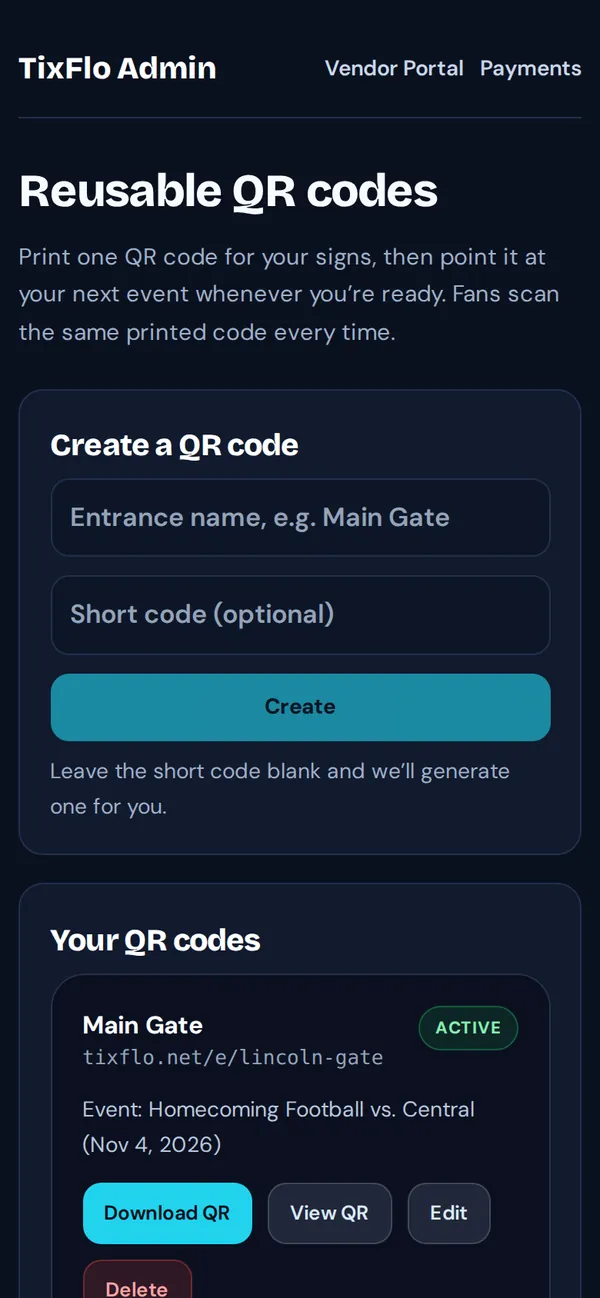
Before each event, edit the QR code and pick the new event. The printed code never changes.
Tip: Concession stands have their own version: OrderUp menu QR codes.