
Concessions without the line.
OrderUp lets fans order and pay from their seats, then pick up when their number is ready. Your volunteers work from a live board instead of a cash box, and nobody misses the fourth quarter standing in line.
- No monthly fee
- No hardware to buy
- Works on any phone or tablet
From the bleachers to the window in four steps.
- Fans scan your menuPost one QR code at the stand, in the program or on the scoreboard. Reuse the same printed code every game; just point it at tonight’s game.
- They order and payFans pick items and options on their phone and pay by card through Stripe or Square.
- Your stand sees it liveNew orders flash and chime on the board. Tap to start, check items off, mark ready.
- Pick up and goFans get a text or email when it’s ready. Scan their code, see green, hand it over.
What your volunteers see.
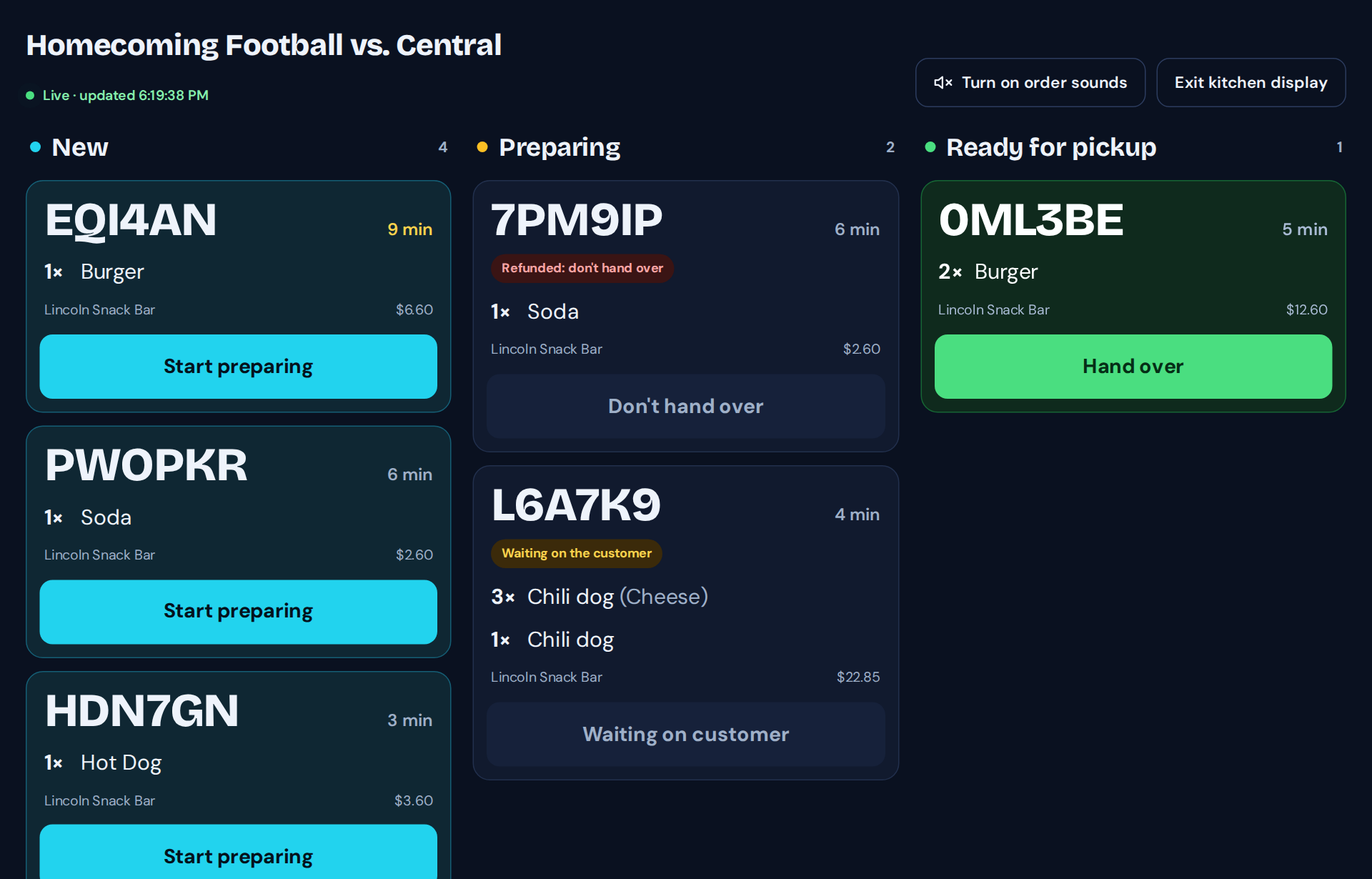
Live order board
New, Preparing and Ready columns with big order numbers, a chime for new orders, and a full-screen kitchen display for a tablet or TV.
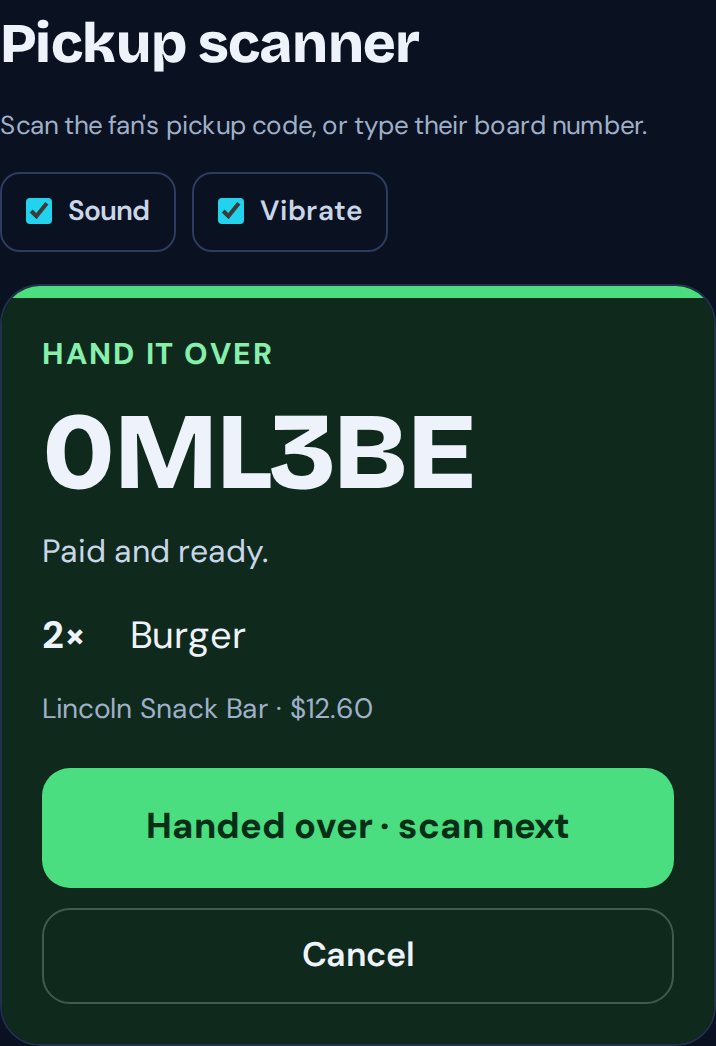
Pickup scanner
Any phone scans the fan’s pickup code and shows green to hand it over, or red if the order was refunded or isn’t paid.
Menu builder
Items, prices, photos, categories and add-on options. Set how many you have and items show sold out automatically.
Ran out of something?
Mark it unavailable and the fan chooses: remove it for a refund, or cancel the order. No awkward conversations at the window.
Refunds and sales tax
Refund a whole order or single items. Turn on sales tax per stand and per item.
Your volunteers, your roles
Staff run the board and scanner. Managers handle refunds and menus, and admins also see sales analytics.
Fans pay the fees. Your stand keeps the full menu price.
You set your menu prices. Sales go to your own Stripe or Square account, the same one you use for TixFlo tickets. How payments work.
See all pricingPaid by the fan, once per order, however many items.
Paid by the fan at checkout, so your stand keeps the full menu price.
None. Use the phones and tablets you already have.
Run tickets and concessions from one account.
Already selling tickets on TixFlo? OrderUp is in your organizer dashboard. New here? Tell us about your stand and we’ll help you set up your first menu.