Modeled platform cost on an $18 ticket
TixFlo0.5 $0.50
Paper lists1.45 $1.45
TixFlo helps organizers sell tickets online, deliver secure QR tickets after payment, and validate guests from a mobile-friendly scanner without turning the front door into a spreadsheet exercise.
Built for event organizers, schools, booster clubs, tournaments, community events, and teams moving away from paper tickets that need clear checkout, payment-aware QR tickets, and fast front-door scanning.
The best ticketing platform is not just the one with the longest feature list. It is the one that protects revenue, makes checkout clear, and helps staff run the door without confusion.
Use these visual comparisons as a quick read before using the full calculator. Numbers are defaults for the page scenario and can vary by processor, configuration, and fee pass-through settings.
Use this calculator to model the organizer-side impact when fees are absorbed by the event. If you pass fees to buyers, the same savings can help lower the final checkout total or make pricing easier to explain.
The paper-list alternative models the hidden operational cost of manual ticketing as $1.00 per ticket plus a 2.5% administrative loss from refunds, disputes, no-shows, duplicate entries, or staff time. Adjust the assumptions to match your process.
Based on 800 tickets at $18.00 each, with roughly 400 orders.
These product-style screenshots show the buyer, ticket, and scanner moments that matter most when replacing paper tickets with QR ticketing software.
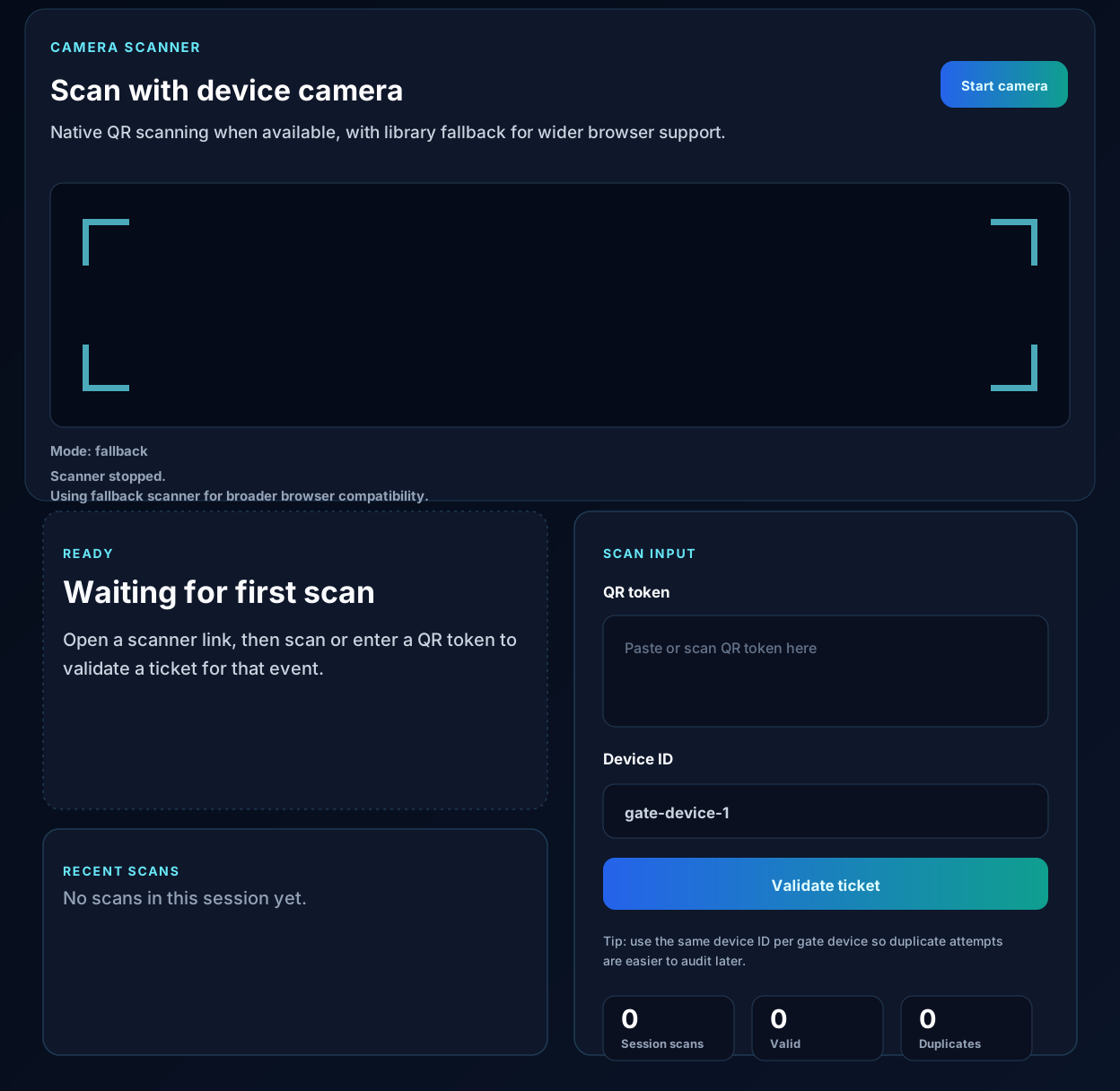
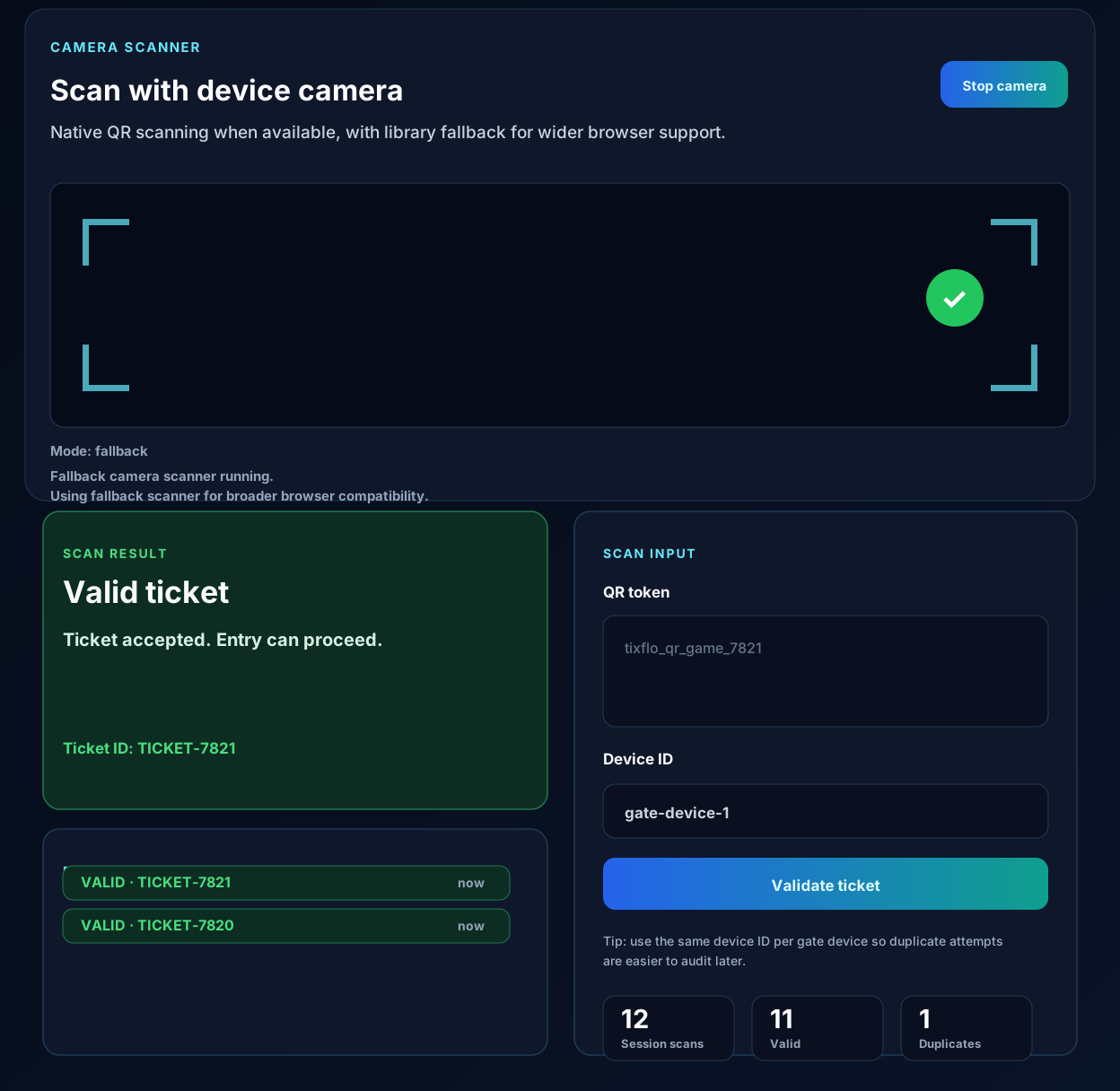
Paper ticketing works until the first rush arrives. A volunteer has to search names, interpret handwriting, verify payment screenshots, or decide whether a forwarded confirmation should count as admission. That pressure creates slow lines and inconsistent decisions, especially when the event has multiple ticket types, walk-up questions, or sold-out inventory.
TixFlo turns the entry credential into a payment-aware QR ticket. The buyer purchases through hosted checkout, the order updates after processor confirmation, and the QR ticket becomes the object staff can validate. Instead of asking the door team to judge every edge case from scratch, the scanner can show whether a ticket is valid, already used, refunded, or not recognized.
Many events are run by people who have other jobs: athletic directors, booster treasurers, coaches, teachers, venue managers, church volunteers, club officers, and tournament staff. They need software that makes the common path obvious. Create the event, sell the tickets, deliver the QR codes, and scan at entry.
That simplicity matters because the person scanning may change from event to event. A mobile-friendly check-in workflow reduces training time and makes it easier to run entrances from gyms, fields, auditoriums, banquet rooms, community centers, or temporary gates.
A QR code should not be treated as a decorative receipt. It should represent a ticket state the system understands. TixFlo ties QR access to paid orders and keeps pending checkout sessions from acting like valid tickets. That distinction helps prevent accidental admissions when buyers abandon checkout or when payment confirmation has not arrived yet.
Cleaner status also helps after the event starts. If a buyer says a ticket was already scanned, staff can investigate from a better record than a paper list. If a ticket was refunded, the check-in flow can reflect that instead of leaving the decision to a volunteer at the door.
Buyers want to know where to go, what they bought, and how to get in. Staff want the line to move without disputes. QR ticketing software connects those needs: the buyer receives a scannable ticket after payment, and the door team receives a clear validation moment.
For organizers, the payoff is confidence. Fewer paper lists, fewer manual lookups, fewer payment screenshots, and fewer guesses at entry. The event still needs good communication, but the ticketing workflow no longer has to be the fragile part.
QR validation helps staff move guests through the door without searching long paper rosters.
Tickets unlock after confirmed payment, reducing the risk of pending or abandoned checkout attempts being treated as valid.
Orders, tickets, and scan activity make it easier to resolve questions and understand attendance.
QR ticketing software lets organizers sell tickets online, issue scannable QR tickets after payment, and validate those tickets at entry using a scanner workflow.
Yes. TixFlo is designed to reduce reliance on paper lists by connecting orders, ticket delivery, and check-in status in one flow.
No. TixFlo is built around paid-ticket access so QR codes are exposed after payment confirmation rather than during pending checkout.
Yes. TixFlo check-in flows are mobile-friendly and designed for staff or volunteers who need a straightforward validation experience.
Ready when your doors open
Use the organizer portal to create a test event, connect Stripe or Square, and share a polished ticket page.