Menu QR codes for your concession stand
Print one QR code per stand and point it at the current event.
- In the OrderUp portal, open Menu QR codes (owners and admins).
- Enter a stand name, like “Main Concessions”, and an optional short code. Tap Create.
- Tap Edit to pick the event the link opens, and make sure it’s Active.
- Tap Download QR and print it for the stand, the bleachers and your programs.
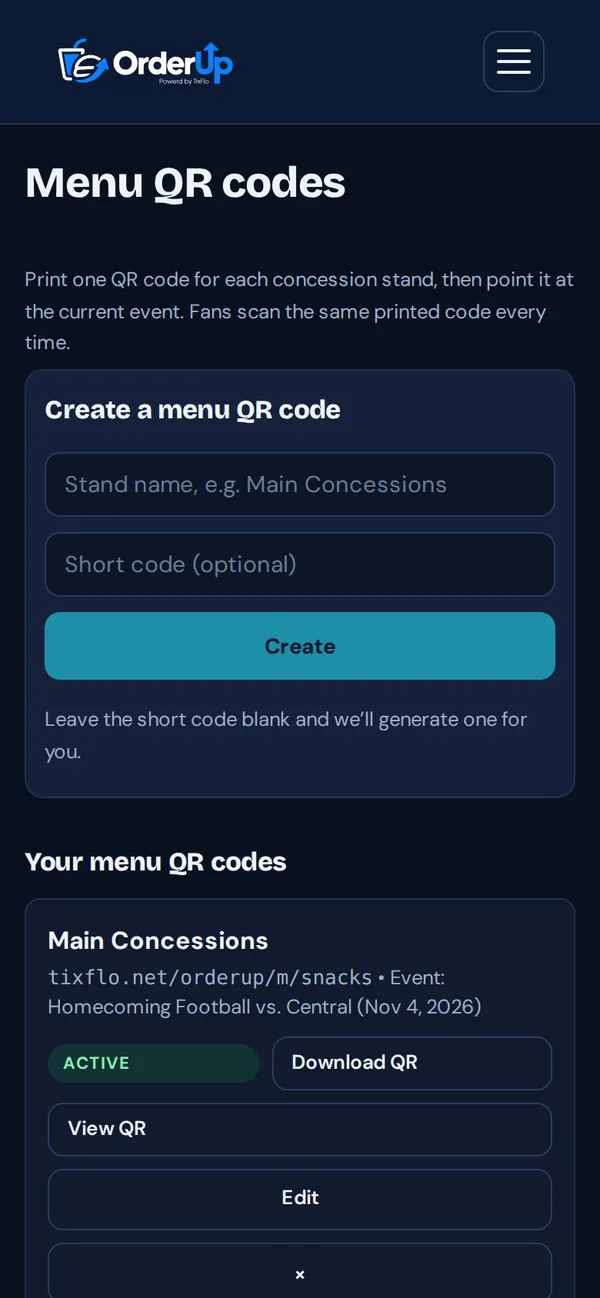
Before each event, edit the QR code to point at the new event. The printed code keeps working all season.