Refund a concession order
Refund some items or the rest of an order, with a reason.
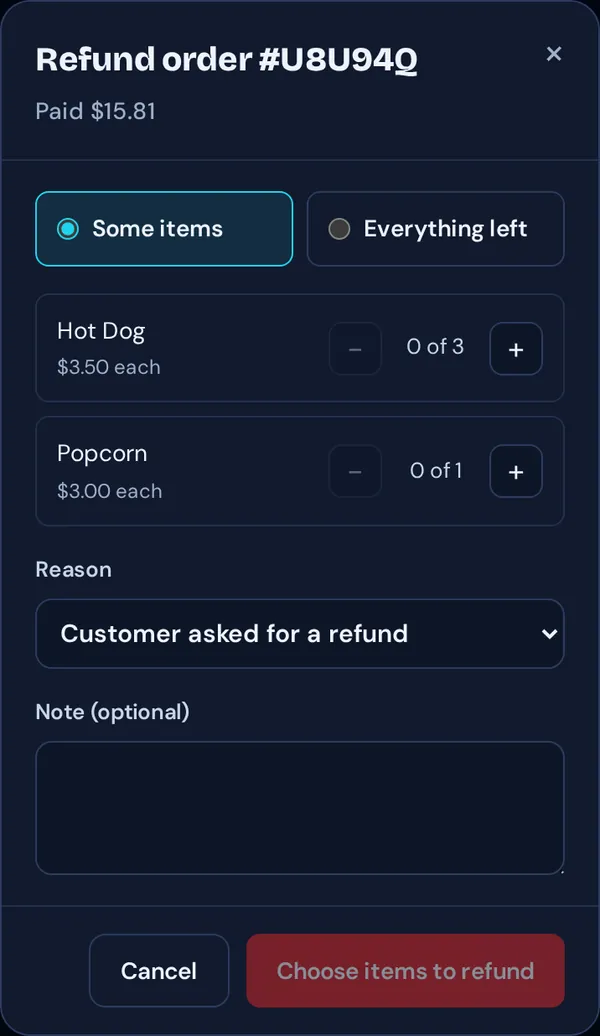
- In Live orders, open the order and tap Refund.
- Choose Some items (and how many of each) or Everything left.
- Pick a Reason, such as “Customer asked for a refund” or “Item unavailable or wrong”, add a note if you like, and confirm.
Good to know: Managers and admins can refund. The money goes back to the fan’s card or Cash App.