Build your concession menu
Add items and prices, set how many you have, mark items unavailable, and open or close ordering.
- In the OrderUp portal, open Menu builder and choose the event.
- The first time, choose Use default menu (every item in your catalog) or Build custom menu.
- Add items with Add menu item: name, price, category and options like “American cheese”. Items live in your Menu item catalog so you can reuse them for every event.
- For each item on this event’s menu, set how many you have and switch Available on or off.
- Turn Menu open on when you’re ready to take orders.
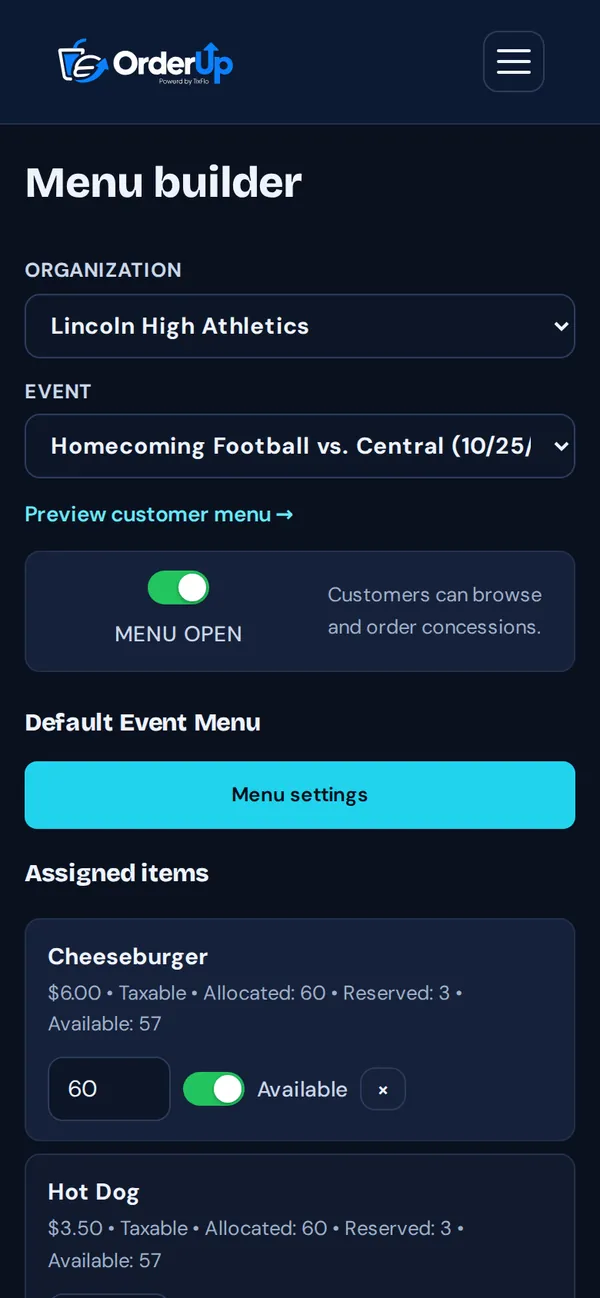
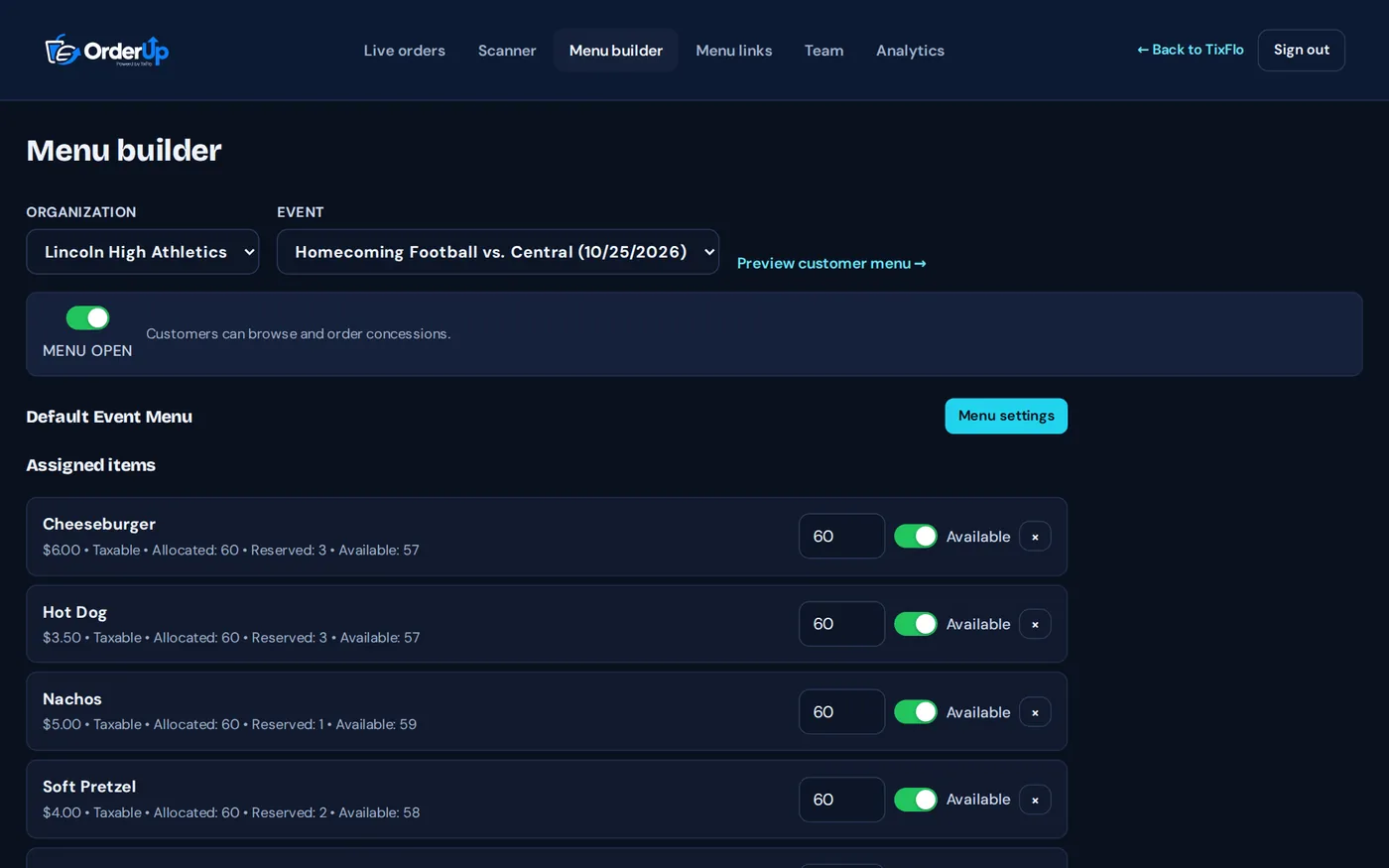
Tip: Ran out of something mid-game? Switch it to unavailable so fans can’t order it.
Good to know: Managers and admins can change the menu. Staff can view it.