Create your organizer account
Sign up for free, verify your email and get ready to sell tickets.
TixFlo is free to set up. You only pay a small fee per ticket when you sell. Everything works on a phone, so you can do this from the bleachers.
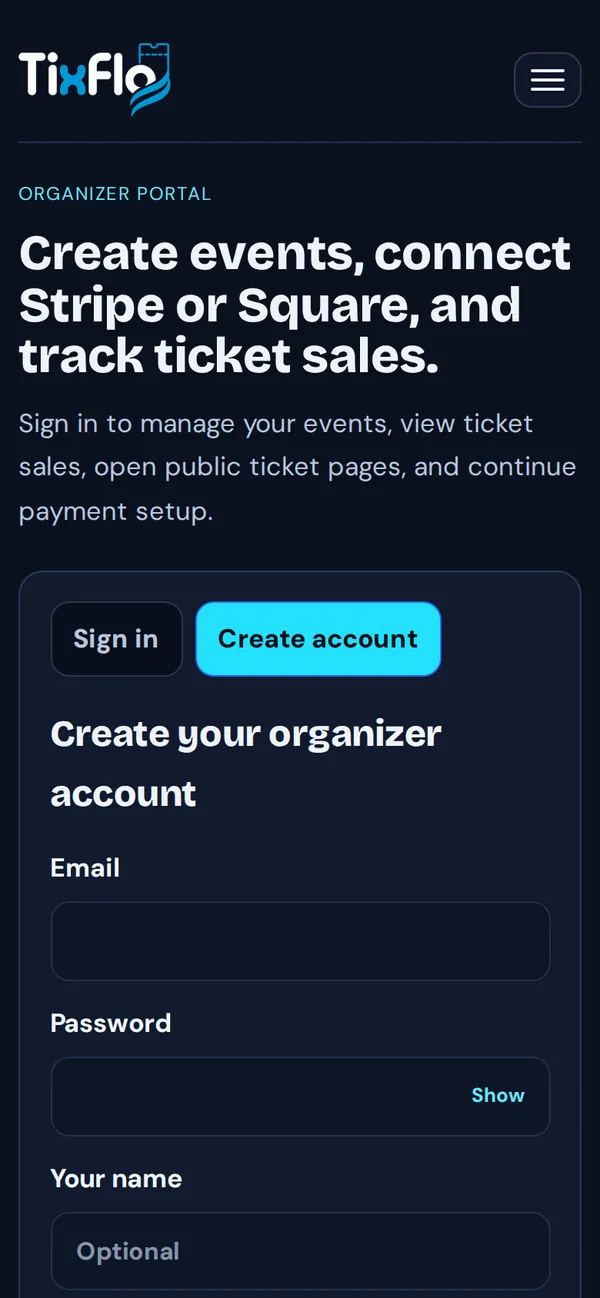
- Go to tixflo.net/organizer and tap Create account.
- Enter your Email, a Password (at least 8 characters), Your name (optional) and your Organization name, such as “Lincoln High Athletics”.
- Tap Create account.
- Check your inbox. Click the link in the email, or paste the code into Verification code and tap Verify email.
Once you’re in, you’ll see your dashboard with a short setup checklist: connect payments, create an event, publish it and share it.
Tip: Didn’t get the email? Check spam, then use Resend verification email on the verify screen.
What to do next
- Connect Square or connect Stripe so buyers can pay you.
- Create your first event.
- Invite helpers to your team.