Find your way around the dashboard
Your events, sales at a glance, shortcuts and the menu, on phone and computer.
The dashboard at tixflo.net/organizer is where you run everything.
- Tickets sold, Gross sales, Upcoming events and Next up show how you’re doing.
- Create event and Bulk upload add events.
- Shortcuts: Admin scanner, Team, Reusable QR codes, Payments and OrderUp (concessions).
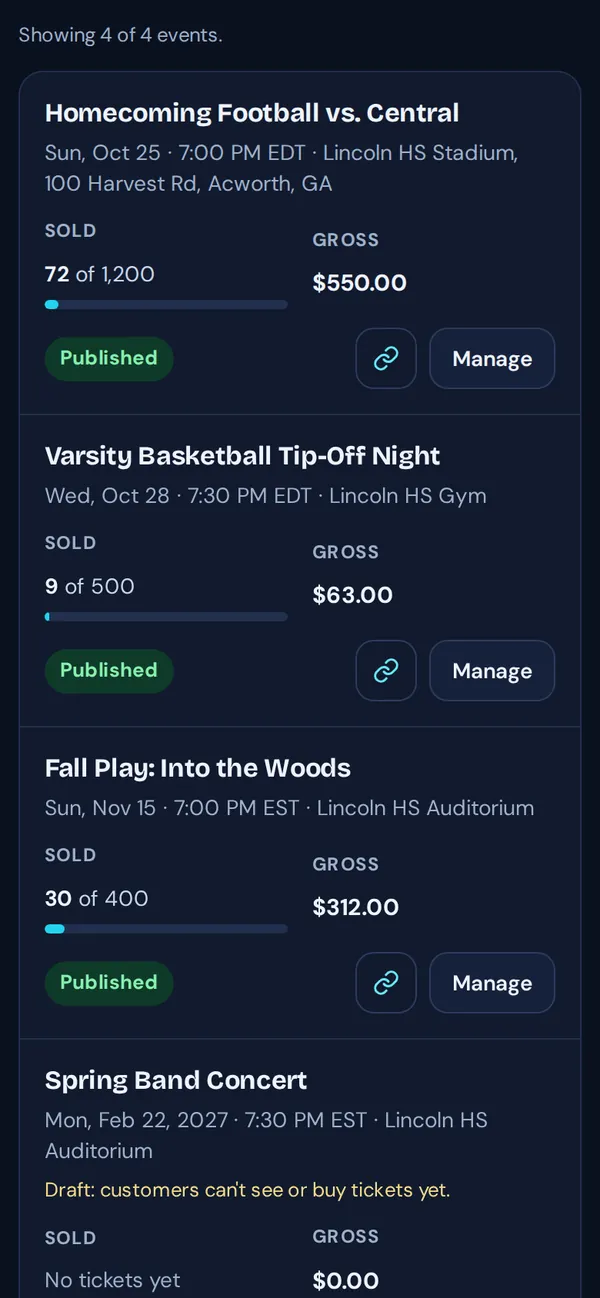
- Your events list: search, filter by status and sort by date. Each event shows tickets sold, gross sales and its status.
- Manage on any event opens everything you can do with it: edit, attendees, revenue, scanner links, messages and settings.
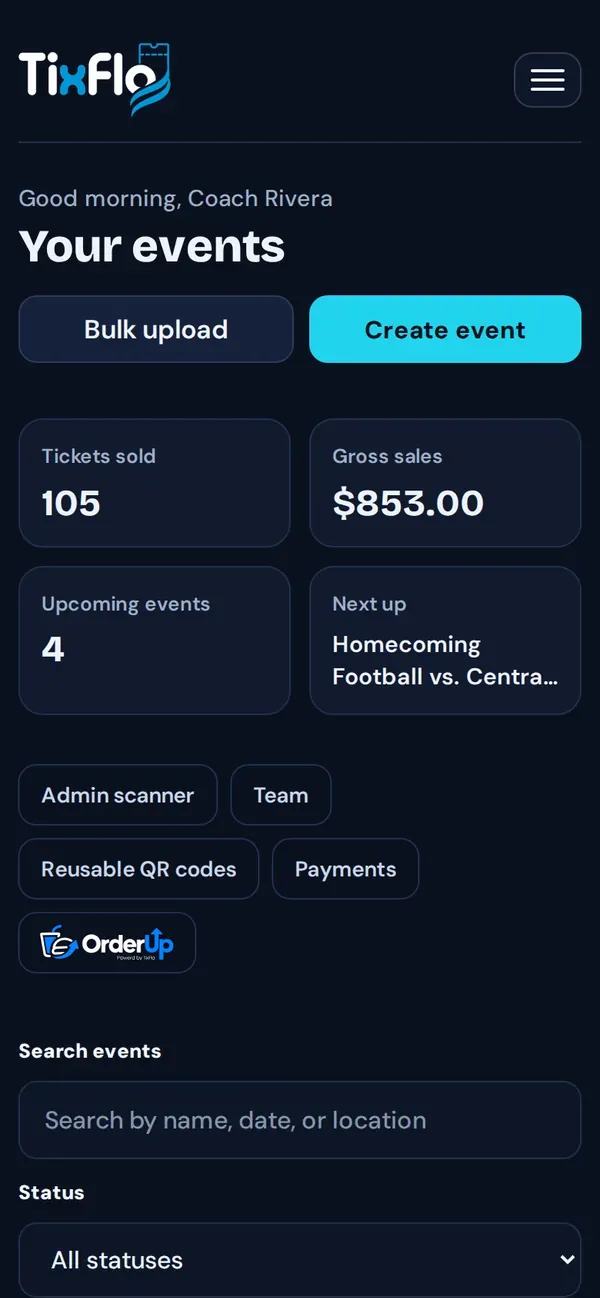
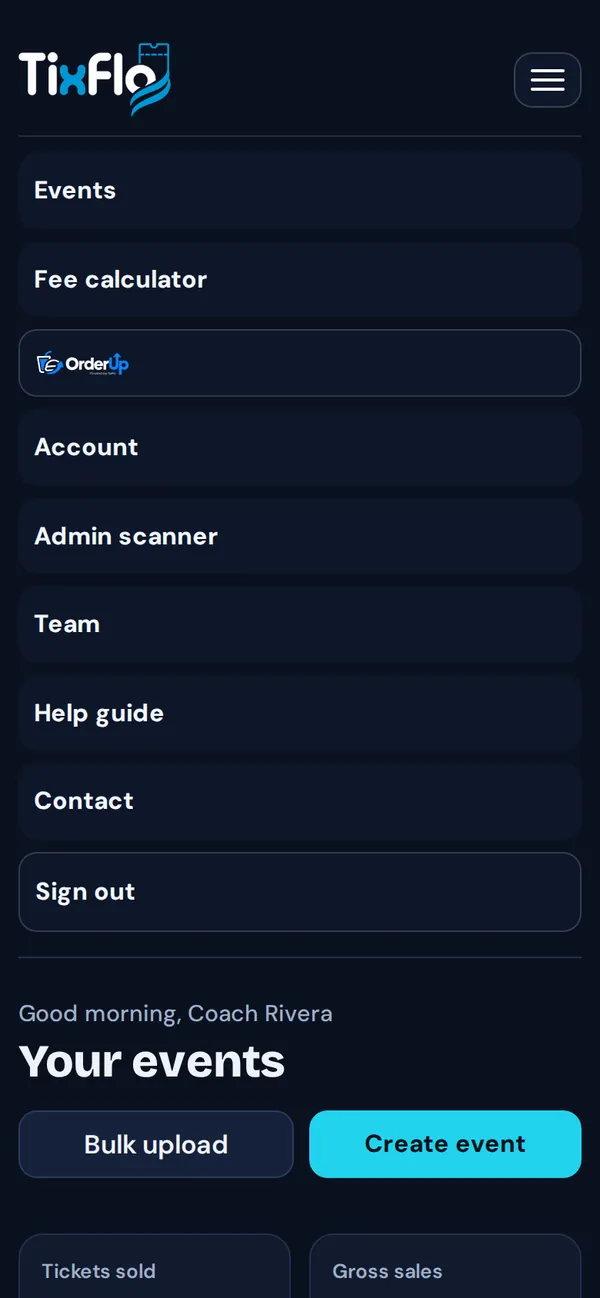
On a phone, tap the menu button (☰) in the top corner for Account, Admin scanner, Team, Fee calculator, help and Sign out. On a computer the same items are under your initials in the top right.
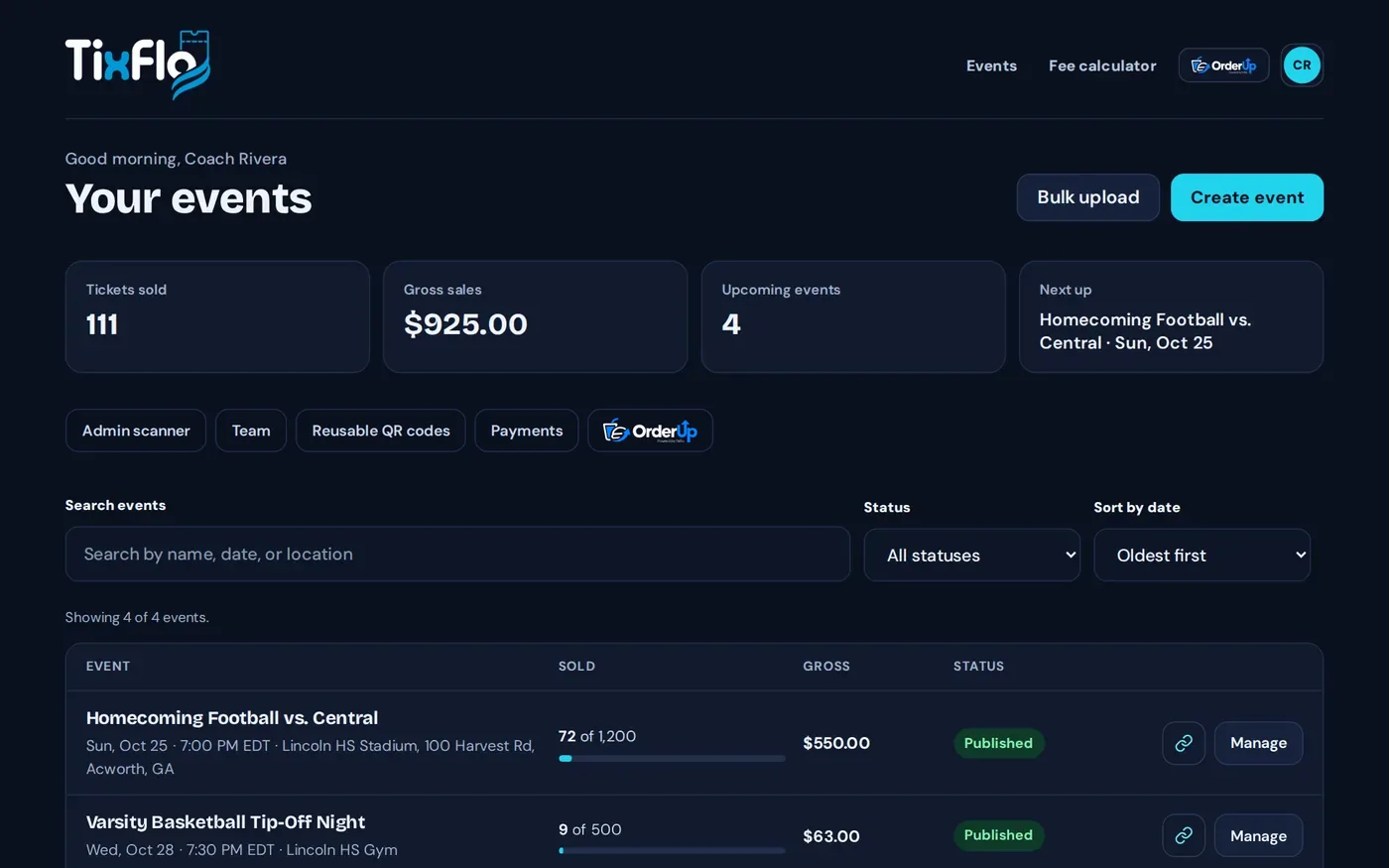
Tip: Drafts show a Publish button right in the list. Published events have a link icon to copy the buyer page link.