One pass. Every game.
Sell season passes and weekly passes alongside your tickets. Families buy once, get one QR code per person, and walk right in at every game the pass covers. Your gate staff scan passes just like tickets.
- Season and weekly passes
- Adult, Student and more in one checkout
- No extra cost to set up
Set it up once. Sell it all season.
- Group your gamesMake a season from the games you already have on TixFlo, like every home game this fall.
- Set your passesAdd pass types like Adult and Student. Enter a season price, or leave it blank to charge what the tickets for the games left add up to.
- Families buy onceThey pick a season pass or a week, choose how many of each pass type, and check out in one go.
- Scan at every gameOne QR code per person. Gate staff scan it like a ticket, once per game.
Season or week, on their phone.
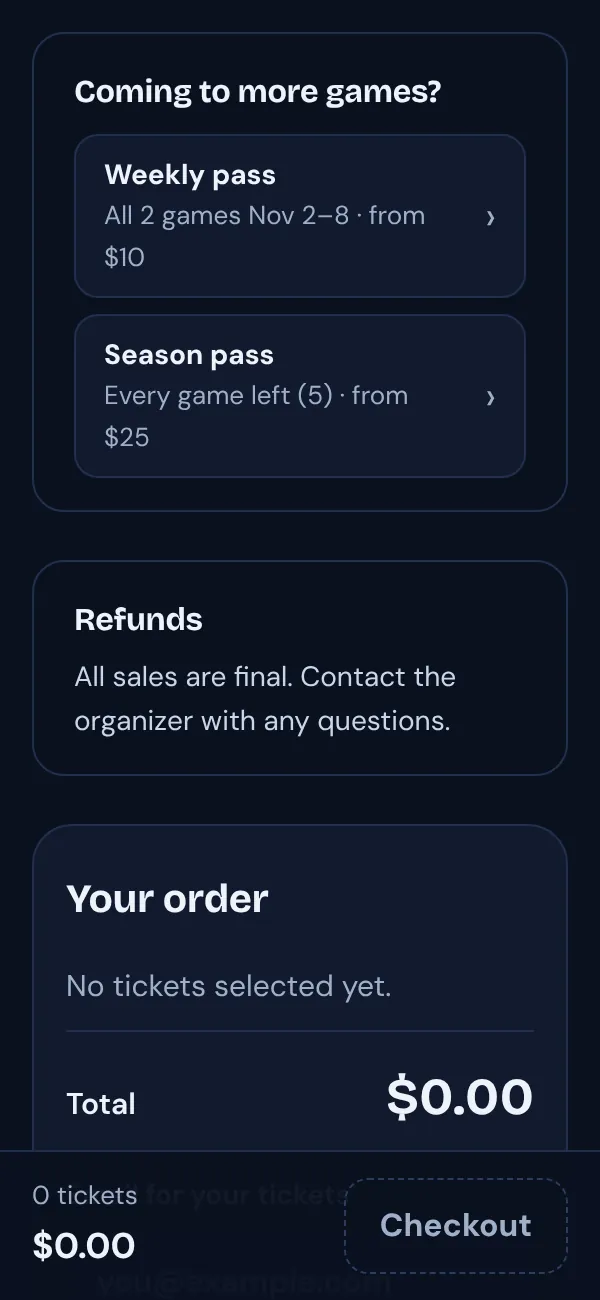
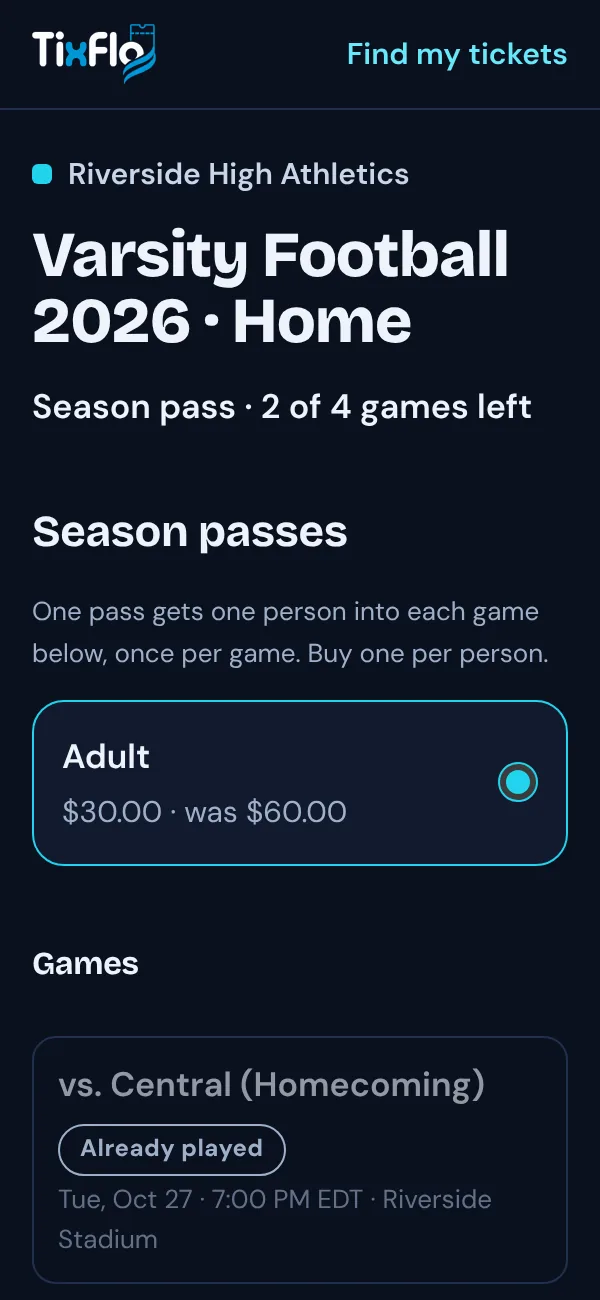
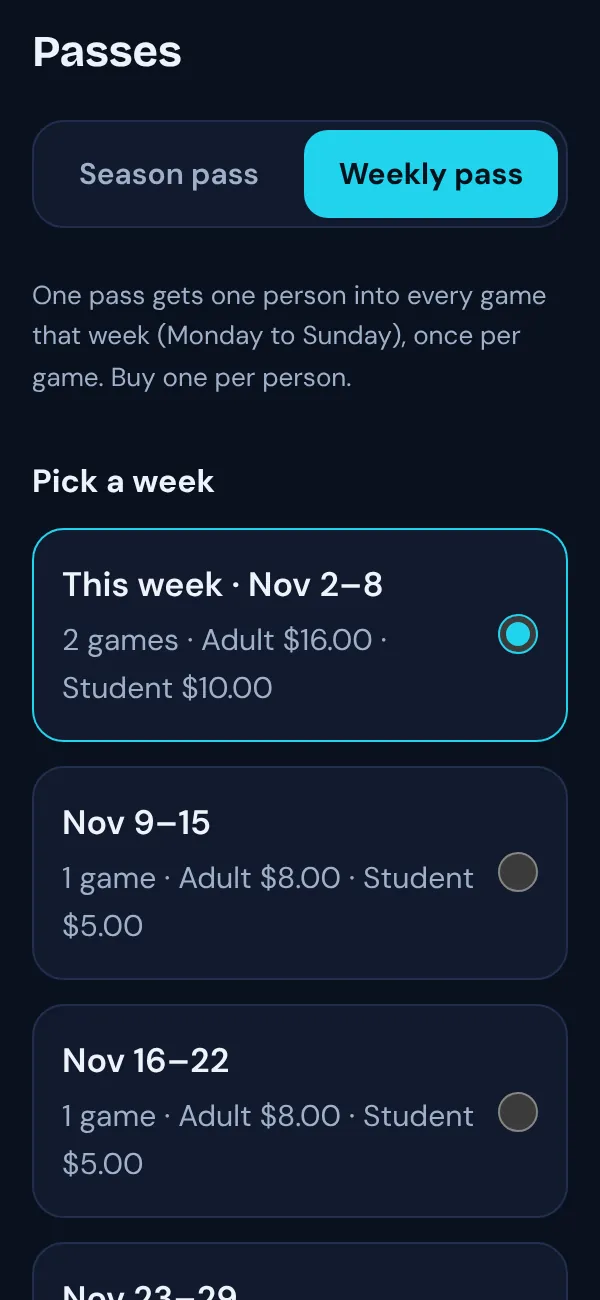
Season passes
One pass for every game left in the season. Late buyers only pay for the games still to come, so it’s never too late to sell one.
Weekly passes
One pass for every game in a week, Monday to Sunday. Ideal for tournament weeks, double-headers and leagues that play several nights a week.
Prices that take care of themselves
Leave the price blank and a pass costs what the tickets for its games add up to. Or set your own price; a season price drops in equal steps after each game.
The whole family in one checkout
Two Adult passes and a Student pass in one order, with one email. Each person still gets their own QR code.
Scanned like tickets
The Game Day app, scanner links and the Admin scanner all take passes. A second scan at the same game shows Already scanned, and a weekly pass won’t work outside its week.
Always on sale at the right time
Each game’s ticket page links to its passes. Once every game left is in one week, season passes stop and the weekly pass takes over.
The same low fees as tickets.
A pass carries the TixFlo fee for each game it covers, so a pass for five games costs the same in fees as five single tickets, and card processing is charged once for the whole order. See all pricing.
Per pass, for each game it covers.
Once per order with Stripe; Square’s rate depends on your plan.
Included with every TixFlo account.
Passes questions.
What does a pass cost the buyer?
The pass price you set (or the ticket total for its games), plus the TixFlo fee of $0.50 for each game the pass covers and card processing once per order. As with tickets, you choose whether buyers pay the fees or you absorb them.
How does a blank price work?
A pass with no price adds up the ticket prices for the games it covers that haven’t started yet. An Adult pass uses each game’s Adult ticket; if a game has no ticket with the same name, its lowest ticket price is used. So three home games with $8 Adult tickets make a $24 Adult pass.
What happens if a game is canceled or rescheduled?
Passes follow the games in the season. A rescheduled game still counts, and a canceled game is marked Canceled on the pass page. Buyers see “Games may change” before they pay, and passes aren’t refunded for canceled or rescheduled games.
Can I add games after passes are sold?
Yes. Pass holders get into games you add at no extra charge, and their pass stops working at any game you remove.
Can I sell passes at the gate?
Passes are sold online, on the season’s page. At the gate, staff can sell single-game tickets in the Game Day app as usual.
Can I limit how many season passes are sold?
Yes, set a season limit per pass type. Weekly passes aren’t limited.
Sell your first season pass this week.
Already selling tickets on TixFlo? Open Passes on your dashboard. New here? Make a free account, add your games, and group them into a season. Questions? Get in touch.