Expand where you do business.
Reach more customers, accept payments on the go, and explore new setups, like line busting. All you need is your iPhone.

Accept contactless payments right on your iPhone.
Tap to Pay on iPhone is now available with TixFlo Game Day. That means you can accept all types of in-person, contactless payments—from physical debit and credit cards to Apple Pay and other digital wallets. Right on your iPhone. No extra card readers or hardware needed. It’s easy, secure, and private.

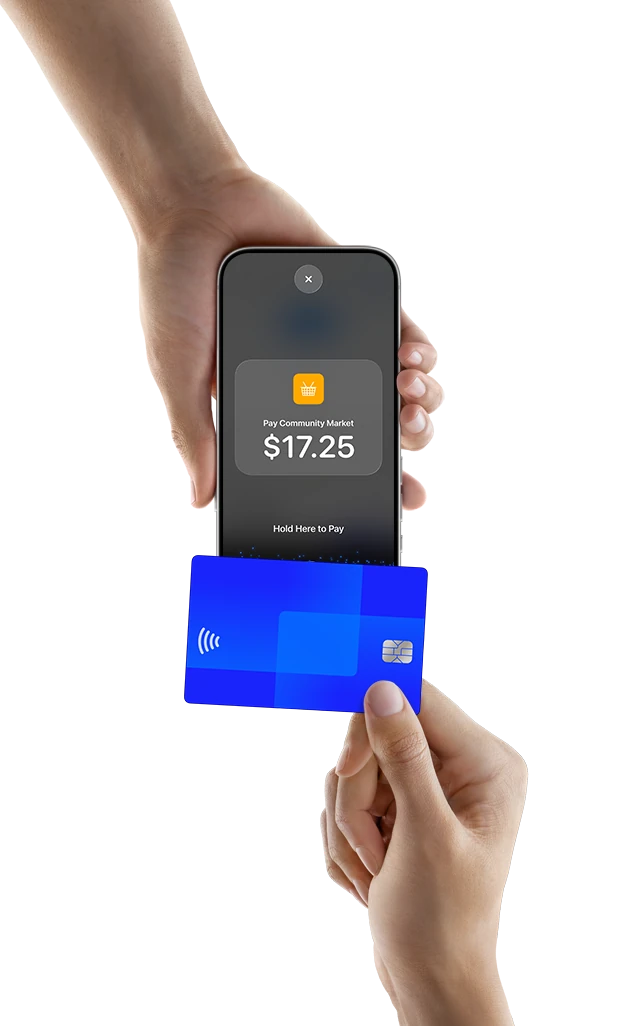
Reach more customers, accept payments on the go, and explore new setups, like line busting. All you need is your iPhone.
Tap to Pay on iPhone is easy to set up and use. No card readers or terminals required.
Apple doesn’t store card numbers on Apple servers, helping protect your business and customer data.*
Tap to Pay on iPhone requires a supported payment app and the latest version of iOS. Update to the latest version by going to Settings > General > Software Update. Some contactless cards may not be accepted by your payment app. Transaction limits may apply. Tap to Pay on iPhone is not available in all markets. For Tap to Pay on iPhone countries and regions, see https://developer.apple.com/tap-to-pay/regions/.
* Encrypted card numbers are temporarily stored on iPhone only for transactions made in Store and Forward mode.
The Contactless Indicator mark, consisting of four graduating arcs, is a trademark owned by and used with permission of EMVCo, LLC.
Apple Pay is a service provided by Apple Payments Services LLC, a subsidiary of Apple Inc. Neither Apple Inc. nor Apple Payments Services LLC is a bank. Any card used in Apple Pay is offered by the card issuer.
Apple, Apple Pay, and iPhone are trademarks of Apple Inc., registered in the U.S. and other countries and regions.
App Store is a service mark of Apple Inc.